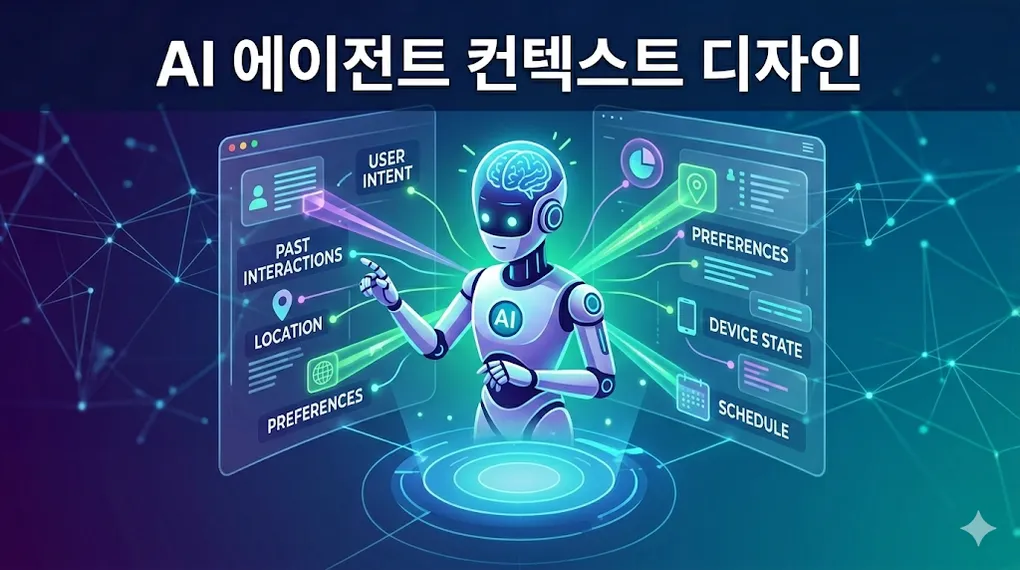
How to Actually Get Value from AI Coding Agents — The Art of Context Design
TechHow to Actually Get Value from AI Coding Agents
The first time you use an AI coding agent, it feels like magic. “Fix this bug” — fixed. “Write tests” — done. But after a few days, you notice something odd.
It doesn’t remember anything from yesterday.
Every new session starts with “What is this project about?” and you find yourself repeating the same explanations over and over. This isn’t an AI limitation — it’s a context design problem.
Onboarding an Amnesiac Employee
Here’s the honest truth about how AI agents work:
- Session start → waking up from deep sleep (no past memories)
- Session end → falling back into deep sleep (all memories lost)
Like the protagonist in Memento, they start from “Who am I?” every single time. The difference? Leonard tattooed reminders on his body. We write them in files.
How you structure those files determines whether your AI acts like a senior engineer or an intern who needs onboarding every morning.
Two Pillars of Context: Knowledge and Action
Context you feed an AI falls into two categories.
Knowledge — “What this project is”
Project structure, domain rules, API specs, data models — static information. The organizational knowledge a new hire needs before they can be productive.
ai-context/
├── domain-overview.md    # Domain explanation, business rules
├── data-model.md         # Core entity definitions
├── api-spec.json         # API specs (DSL)
└── architecture.md       # Architecture decisions
Action — “How to get things done”
Development workflows, deployment procedures, coding conventions — dynamic procedures. The “here’s how we do things around here” guide.
skills/
├── develop/
│   └── SKILL.md    # Development workflow
├── review/
│   └── SKILL.md    # Code review standards
└── deploy/
    └── SKILL.md    # Deployment procedure
Why separate them? Different loading timing.
Knowledge should load at session start. An AI that doesn’t understand your project will produce nonsensical code. Actions (Skills), on the other hand, only need to load when relevant — deployment skills when deploying, review skills when reviewing.
This also improves token efficiency. Stuffing everything in at once drives up costs and slows down responses.
Save Tokens with DSL
When conveying project information to AI, verbose natural language burns through tokens fast.
Natural language:
“The order creation API uses POST method at /api/v1/orders. It accepts OrderCreateRequest and returns OrderResponse, internally calling CreateOrderUseCase. This API involves the Order and Payment domains…”
JSON DSL (Domain Specific Language):
{
  "endpoint": "POST /api/v1/orders",
  "request": "OrderCreateRequest",
  "response": "OrderResponse",
  "useCase": "CreateOrderUseCase",
  "domains": ["Order", "Payment"],
  "calls": [
    { "service": "payment-api", "endpoint": "POST /api/v1/payments" }
  ]
}
Same information, roughly 1/3 the tokens. AI parses structured data more accurately than prose. When tracing cross-service call chains, JSON structure lets it immediately follow “A → B → C” flows.
You don’t even need to design the DSL yourself:
- “Analyze all APIs in this project”
- “Structure the results as a DSL so future sessions can reference them”
- Validate and give feedback → AI refines iteratively
The rule: developers design the structure, AI fills in the content.
Divide and Conquer with Roles
As projects grow, dumping everything into one AI session gets inefficient. Just like a person doing planning, coding, and deployment simultaneously produces lower quality work, AI performs better with role separation.
Effective role splits in practice:
| Role | Context Scope | Responsibility |
|---|---|---|
| Architect | Entire system | Design analysis, impact assessment, task breakdown |
| Developer | Specific service/module | Focused design + implementation |
| Reviewer | Changed files only | Code review, test verification |
The key insight: each role loads a different context scope.
- Architect gets high-level API/message specs across all services
- Developer gets full documentation for their assigned service
- Reviewer gets coding conventions and the diff
Less irrelevant context means better focus. Same reason humans lose track of key points when handed 50 pages of unrelated documents in a meeting.
What Makes Architecture AI-Friendly
Here’s a fun discovery: code architecture dramatically affects how well AI understands your project.
The Layered Architecture Trap
In traditional layered architecture, OrderService.java contains dozens of methods. For AI to understand “order cancellation,” it has to read the entire 500-line service class. Only 50 lines are relevant — the other 450 are noise.
Why Clean Architecture Wins
In clean architecture (or hexagonal), CancelOrderUseCase exists as an independent unit. AI reads just that file. Inputs (Port), outputs (Port), and business logic (UseCase) are cleanly separated.
| Architecture Combo | AI Context Difficulty |
|---|---|
| Monolith + Layered | 🔴 Hard |
| Monolith + Clean | 🟡 Medium |
| MSA + Layered | 🟡 Medium |
| MSA + Clean | 🟢 Easy |
The deciding factor isn’t monolith vs. MSA — it’s whether UseCase/Port/Adapter responsibilities are clearly separated. Clear separation means context documents map 1:1 to code structure, enabling precise work with minimal noise.
When AI Gets It Wrong: The Art of Feedback
The biggest difference between people who get value from AI agents and those who don’t is how they give feedback.
❌ Bad feedback:
“Wrong. Try again.”
✅ Good feedback:
“This part is wrong. Look at how the
RegionDecisionFactormodel is used in the Service layer.”
The real magic happens when AI gets it right:
“Correct. But why couldn’t you infer this initially? Think about what’s missing from the spec you created.”
When AI recognizes its own gaps, it suggests how to improve the context documents. Repeat this cycle and context quality keeps climbing.
Remember: lessons learned must be written to files. “I’ll do better next time” is meaningless when the next session starts with amnesia.
MCP: Giving AI Eyes and Hands
If context design is the AI’s brain, MCP (Model Context Protocol) is its eyes and hands.
Connect MCP to a well-trained AI and it can:
- Jira/Linear → read tickets, analyze requirements, create sub-issues
- GitHub → create PRs, review code, manage release tags
- Monitoring → analyze Datadog/Sentry logs in natural language
Order matters. Connecting MCP before context is ready is a disaster. Give Jira access to an AI that doesn’t understand your project and it’ll create nonsensical tickets and wrong PRs.
Build the brain first, then attach the eyes and hands.
Practical Checklist
Starting your first AI agent context design:
- Create
CLAUDE.md(or agent-specific context file) at project root - Document domain overview, core entities, business rules
- Structure API/event specs as JSON DSL
- Separate development/deployment workflows into Skill files
- Define context loading scope per role
- Reserve space for AI to record lessons learned
- Connect MCP (only after context quality is sufficient)
Wrapping Up
AI agents are tools. But unlike most tools, the performance gap between good and bad usage is extreme.
Same Claude Code, but a team with well-designed context has 4 people doing the work of 16, while another team concludes “AI isn’t that useful.”
The core competency of the AI era isn’t coding — it’s design. What to teach, which roles to assign, how to structure information — this design ability is what separates productive developers from the rest.
Before telling AI to “write code,” design its brain first.